# 时框工具@ : @ 控制台
2026-01-24T12:00
> **Glyph-}基于 glyph@ MSKO}的终端翻譯器使用形状 @ -\ matching 运算法 @ MS K2} 支持影像 @ MPK3} 动画GIFs,} 影片_ ,}YouTube playback, 以及包含多种交接模式(包括盲文)的直播字幕,**
> [](https://www.nuget.org/packages/mostlylucid.consoleimage/)
> [](https://unlicense.org)
> [](https://github.com/scottgal/mostlylucid.consoleimage/releases)
*目标不是像素精度;,它是在极端带宽限制下可监视的@.*
## 一. 导言导言 导言 导言 导言
这是我的“"@time @-_boxed"}工具之一 我通常在几天内 以有限的时间练习建立的小项目‘,’。 这个想法是去抓一个痒痒的'.>
这个特别的项目是当我遇到时开始的 [亚历克斯・哈里・'}关于ASCII的杰出文章](https://alexharri.com/blog/ascii-rendering)@._@ MSKO} 他制作“ MS K1” 而非简单亮度映射的方法令人着迷 *,* 我想 “ "QI” 可以建構在 C#".中, 当一个简单的 ASCII 图像查看器开始时, 它会成长成一个终端图形系统, 有多个翻譯模式\ , Video support@,, 甚至是一个 AI 整合层+.
完整源代码可在 GitHub: 上查阅。 [https @://Github.com}/ScottgalMS K3}最主要表现为 mostlylucid+.其他影像](https://github.com/scottgal/mostlylucid.consoleimage)
**下载最新版本@: @%** [GitHub 释放](https://github.com/scottgal/mostlylucid.consoleimage/releases)
**NuGet 软件包@: @% 1**
- [`mostlylucid.consoleimage`](https://www.nuget.org/packages/mostlylucid.consoleimage/) -核心建构库
- [`mostlylucid.consoleimage.video`](https://www.nuget.org/packages/mostlylucid.consoleimage.video/) @-#视频支持 @ ( @FFmpeg@) @
- [`mostlylucid.consoleimage.transcription`](https://www.nuget.org/packages/mostlylucid.consoleimage.transcription/) @-耳语转录@ +字幕组
- [`mostlylucid.consoleimage.player`](https://www.nuget.org/packages/mostlylucid.consoleimage.player/) -文档重播
- [`mostlylucid.consoleimage.player.spectre`](https://www.nuget.org/packages/mostlylucid.consoleimage.player.spectre/) -+Spectre@.+Console 回放可复制文件
- [`mostlylucid.consoleimage.spectre`](https://www.nuget.org/packages/mostlylucid.consoleimage.spectre/) -+Spectre@.+Console 整合
## 快速启动
控制台图像是一个单一的 CLI, 它将媒体转换成 glyph@ - @ 驱动终端视频 @ MS K1 @ 点不精确像素@ MPK2 @ it'} 在严酷限制下可监视性@ I.{
### 安安装
最容易开始的方法就是下载最新的二进制版本 [GitHub 释放](https://github.com/scottgal/mostlylucid.consoleimage/releases) 和确保 `consoleimage` 是在你身上 `PATH`.
```bash
consoleimage photo.jpg
consoleimage "https://youtu.be/dQw4w9WgXcQ" --subs whisper
```
[TOC]
## New in v4.0:YouTube {+}新版字幕: @ Youtube_#YouTub #%MSK1现场字幕
控制台已悄悄地发展成一个完整的终端媒体播放器@.}版本 @4.0}加入YouTube 播放, 自动 -\ 下载的依附性{,和由Whisper=,}授权的实时人工智能字幕
### 零@- @Setup 自定义下载
首次使用时会调低依赖性, 并缓存本地@,}所以新的功能工作无需手动安装@ :#
|% 元件 @ | @ first down 触发器 @ MS K2# Cache 位置 @ MPK3 @
|-----------|------------------------|----------------|
|FFmpeg|第一部视频播放 <|> `~/.local/share/consoleimage/ffmpeg/` |
第一次YouTube URL @| `~/.local/share/consoleimage/ytdlp/` |
-=YTET -伊甸园字幕组=- 翻译: `--subs whisper` | `~/.local/share/consoleimage/whisper/runtimes/` |
| 低语模特儿 第一转录 `~/.local/share/consoleimage/whisper/` |
在 Windows @,% 的缓存中生活 `%LOCALAPPDATA%\consoleimage\`.
在 macos @ ,}缓存上, 您的用户@ MS K1}本地应用程序数据文件夹 {(} 通常都在您的用户下 `~/Library/Application Support/consoleimage/`).
使用 `-y` / `--yes` 自动@- @confirmusion all downs .}%
### YouTube 播放回放
YouTube URL 直接在终端中通过 Yt-dlp},}通过与本地文件相同的管道运行
表示相同的模式@,}(宽度) @,}和输出格式都适用,无论您是观看实况还是保存剪辑.}如果您已经看到
是否有自定义的 Y& @ - @ dlp 安裝@ MS K1 @ 控制器可指向它@ MPK2}
### 字幕和现场直播
字幕来自三个来源: @:现有文件@,YouTube 字幕=,或活耳语翻譯}#.耳语运行于
@ 15-_ second brooms MS K1} <% 1} 背景在 & 缓存中居前 `.vtt` 重放文件为即时@ . @ it 支持
多个模型大小@ , @ 语言选择 @ MS K1 @ 和主机端点, 这样您就可以以速度交换精度或卸载工作@ I.
轨迹描述@ - @ 仅支持输出为太 MS K1} 将控制器调制成小标题生成器, 可以喂养其他工具
不创建视频@ . @%
### 幻灯片放映模式
将它指向一个文件夹, 它变成带有键盘控件的图像幻灯片放映@ , @ option shopple ,} 手动或计时
超前.
## 从简单查看器到终端图形
开始于一个周末项目 实施亚历克斯・哈里・'}算法成为了更雄心勃勃的东西
1. **白天 @1 @ @**: Basic ASCII 使用形状
2. **白天 @2 @ @**:+彩色支持和动画 GIF 回放
3. **白天 @3 @ @**: 已执行的更高忠诚度的颜色锁模式@ info: tooltip
4. **白天 @4 @ @**:+盲文模式为 @8x分辨率
5. **后来**: 视频支持@, 矩阵效果 @,文档格式\, MCP 服务器
6. **过了很久**@: 运动时间稳定=, 感知颜色补偿
缩放是真实的 @,, 但每次添加都感觉自然而有用 @MS K1 现在它处理图像@,GIFs,Video @,甚至为AI工具集成提供了 MCP服务器_.}
## 三种招标模式
Conoleimage 提供了三种不同的图像转换方式, 在终端@ , @ 每一个都有自己的交易@ MPK1_ offs:}
```mermaid
flowchart LR
A[Source Image] --> B{Choose Mode}
B --> C[ASCII]
B --> D[ColorBlocks]
B --> E[Braille]
C --> F[Shape-matched characters]
D --> G[Unicode half-blocks]
E --> H[2×4 dot patterns]
style A stroke:#4a9eff
style B stroke:#ff6600
style C stroke:#00aa00
style D stroke:#00aa00
style E stroke:#00aa00
```
|Q模式 @|Q 命令@|Q 决议 @MS K3Z 最佳为 @MSC4}
|------|---------|------------|----------|
| **盲文** | `consoleimage photo.jpg` | MS K1 每个单元格的像素 (2×4 dots) MPK4 **丧失** 最大细节
| **ACSCII 阿苏尔二** | `consoleimage photo.jpg -a` | MS K1 I( shape MPK3 matched}) NSK5 最宽的兼容度 |
| **颜色窗格** | `consoleimage photo.jpg -b` @| @ @ 2× @ 垂直 @ I( @ fun@ MS K3_ blocks @ MPK4# |}照片 @ MASK6 @ 高忠诚度 @ | @
盲文是默认的 _ @ ._ 使用 `-a` ASCII 或 `-b` 颜色块@ . @% 1
### 终端协议模式
一些终端支持线性图形协议 (iterm2, Kitty{, sixel).Consoleimage 可以针对这些模式
像素-准确转换,同时保持相同的管道和工具@.
### 模式比较比较
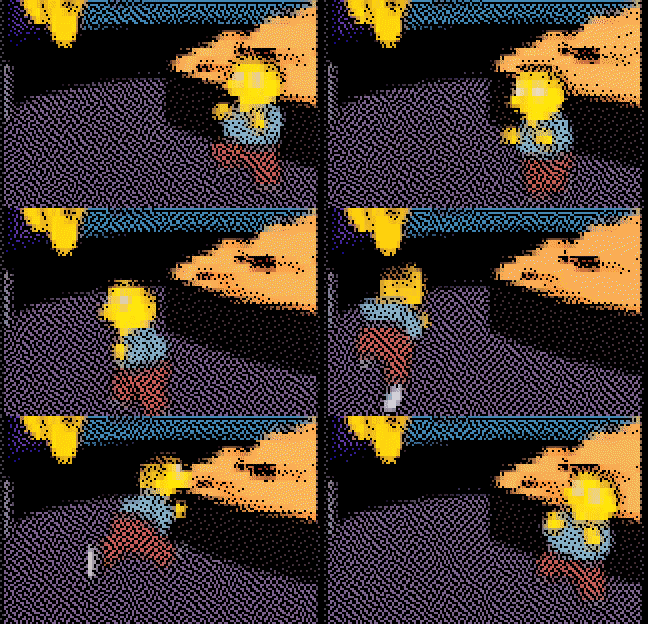
这是在每种模式中相同的动画 GIF+:
| @ASCII @|#盲文@|_盲文 @( @MOQ)}#|#彩色锁 #|#
|-------|---------|----------------|-------------|
| 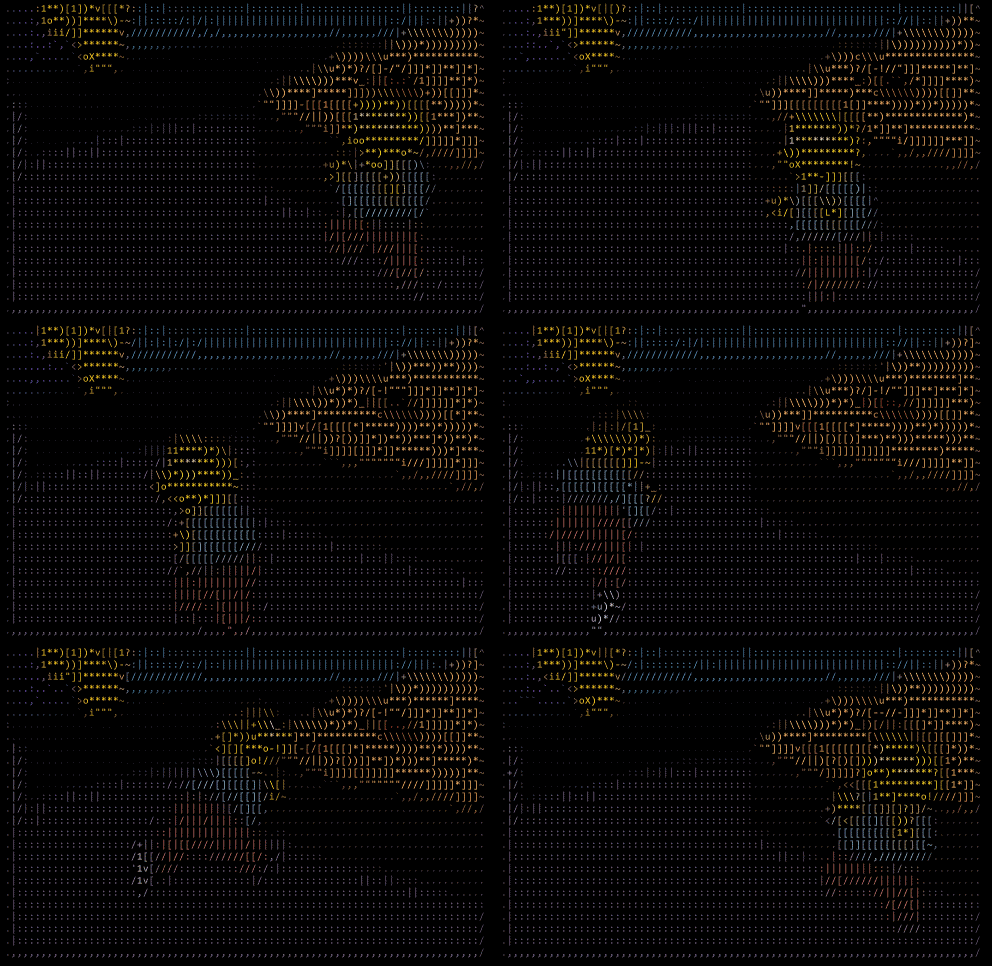 |  | 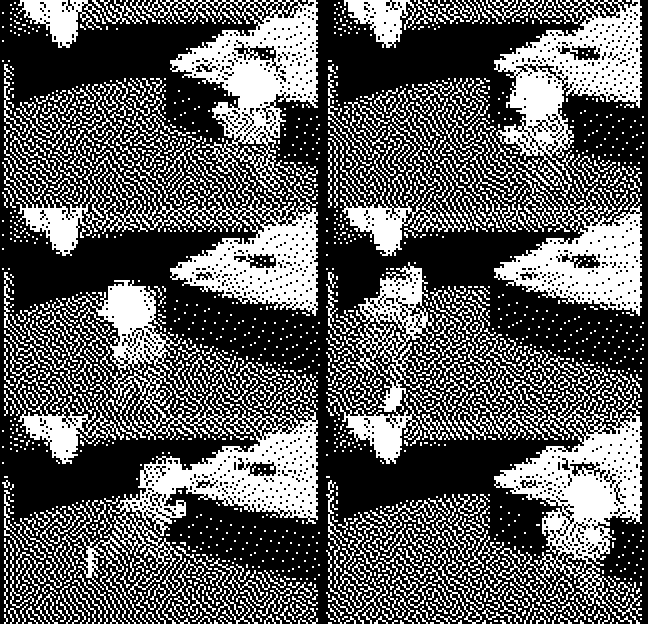 | 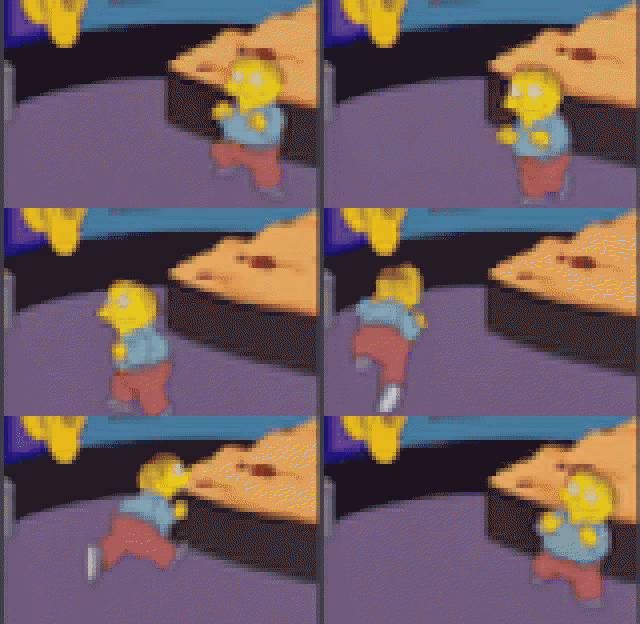 |
| @ 形状@ MSQ1} 匹配字符 @ MS K2 @ I2×4# 点型態 @ MPK4{ Compractic *, @ 无颜色 @ MASK6_ 统一代码一半@ - @ 区块 @ MCK8 @ @ O| @
ASCII 输出显示工作时的形状 @ - 匹配@ MS K1对角边缘使用 `/` 和 `\`, 曲线使用 `(` 和 `)`,和不同密度使用类似字符 `@`, `#`, `*`,和 `.`. 单色蓝调版本是 @3× 小于彩色模式, 同时保留完整的点分辨率@.
### 盲文决议_:_Amiga波音球
用经典的 Amiga 弹跳球 & - 动画来要求平滑曲线和清洁对角线,
盲文 @|_盲文@(_Monochrome_)}#|_盲文本 @MS K4_Colour}|_
|----------------------|------------------|
| 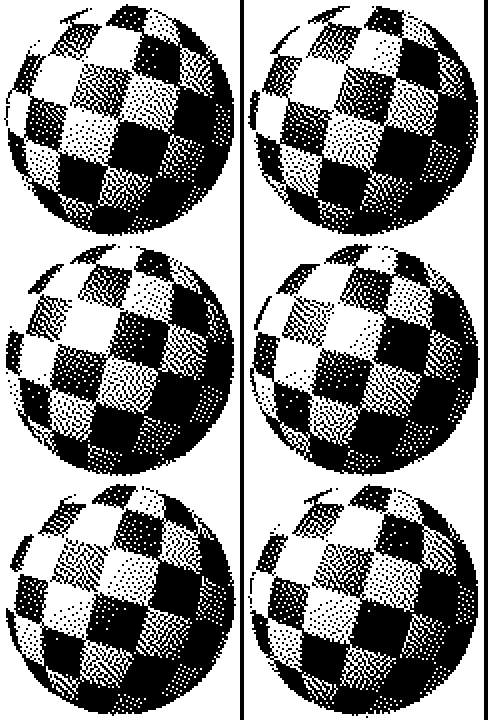 |  |
|}{8×}决议,}无颜色 200}|}*8×}决议□,}全彩 ♪|♪
单色版完全省略 ANSI 彩色代码@,,产生小得多的输出 @.
### 单色盲文@ : @ 契约 *&}快速
用于快速预览 @,_SSH 会话@,}或带宽 @ -_ 受限制的环境 @ MPK3_ 单色条框 {}`--mono`@ ) 滴色全彩@ MS K1
```bash
consoleimage animation.gif --mono -w 120
```
结果是 **3-5#x 小一点** 在保留完整解析度@ .}同时保存完整的颜色模式, 且在 ? 上方的弹珠动画中, 单色版本是 @ MS K2 kB 与 {863 KB 相比, 彩色为 braille% .}KB 。 对于文本- _hiavy 内容或线条 Art, chonerome 经常外观 *更好* 因为“'”没有彩色噪音 与形状信息竞争@.
## ASCII 形状如何
传统 ASCII 艺术使用亮度映射@- 深色像素获得更稠密的字符等 `@` 或 `#`, 轻亮像素得到的稀疏像素喜欢 `.` 或 ` `@. @ this works @ ,}但忽略了实际 *形状形状* 字符中的字符@. @%
亚历克斯·哈里's 方法更聪明\ : 分析每个字符的视觉形状@, 然后将图像区域与类似形状的字符匹配.应绘制对角线到 `/` 或 `\`@, @ 不只是任何相近亮度的字符@. @
一旦您将每个字符当作一个小的“ 2 @ D 形状” ,} 翻譯在低“ I-" 维度 “ MS K4#shape space@ ".” 中最接近的“ MSSK2 @ 邻居搜索” 。
### 形状矢量
每个字符都使用 **6-点取样网格** 在 @ 3×2 @ 交错模式@ MS K1 @
```
[0] [1] [2] ← Top row (staggered vertically)
[3] [4] [5] ← Bottom row
```
左圆圈降低,右圆圈提高以最大限度地缩小差距,同时避免重叠@.}每个取样圈测量的“"’ink coverage ”\"}在那个位置创建了 “6->维元形状矢量 @.}
我们讨论采样网格时又引用了 ASCII 的输出,

```csharp
// Staggered sampling positions (3x2 grid as per Harri's article)
private static readonly (float X, float Y)[] InternalSamplingPositions =
[
(0.17f, 0.30f), // Top-left (lowered)
(0.50f, 0.25f), // Top-center
(0.83f, 0.20f), // Top-right (raised)
(0.17f, 0.80f), // Bottom-left (lowered)
(0.50f, 0.75f), // Bottom-center
(0.83f, 0.70f) // Bottom-right (raised)
];
```
### 构建字符地图
当创建者初始化 {,} 时, 它将每个 ASCII 字符变成一个小图像, 并抽样检测 {6} 区域=:}
```csharp
private void GenerateVectors(string characterSet, string? fontFamily, int cellSize)
{
var font = GetFont(fontFamily, cellSize);
foreach (var c in characterSet.Distinct())
{
var vector = RenderCharacterVector(c, font, cellSize);
_vectors[c] = vector;
}
// Normalise vectors for comparable magnitudes
NormalizeVectors();
}
```
结果是一个查找表格, 绘制每个字符的形状符号“ . ” 。
### K-#D 树匹配
为每个图像单元格查找最佳字符需要搜索 @ 6-# 维空间@ MS K1_ 幼天线性搜索将会缓慢@ I,\} 所以我们使用一个 **[K-D 树](https://en.wikipedia.org/wiki/K-d_tree)** 快速近处的@- @neeghbour lookups_:
```mermaid
flowchart TD
A[Image Cell] --> B[Sample 6 regions]
B --> C[Create shape vector]
C --> D[K-D tree lookup]
D --> E[Nearest character match]
style A stroke:#4a9eff
style C stroke:#ff6600
style D stroke:#00aa00
style E stroke:#00aa00
```
缩略 [K-D 树](https://en.wikipedia.org/wiki/K-d_tree) 提供 O(log nMS K1查询而不是 O(n ),,结果会使用量化矢量缓存,以更快的重复查看@.
### 对比度增强
Raw 形状匹配可看起来平坦@ . @ 算法应用两种类型的对比度增强@ MPK1
**全球对比度** - 电源函数, 它会将低值压缩到零@:
```
value = (value / max)^power × max
```
**方向对比** 外部采样圈探测到内容与空空间相匹配的边缘
```csharp
// 10 external sampling positions for directional contrast
private static readonly (float X, float Y)[] ExternalSamplingPositions =
[
(0.17f, -0.10f), // Above top-left
(0.50f, -0.10f), // Above top-center
(0.83f, -0.10f), // Above top-right
(-0.15f, 0.30f), // Left of top-left
(1.15f, 0.20f), // Right of top-right
(-0.15f, 0.80f), // Left of bottom-left
(1.15f, 0.70f), // Right of bottom-right
(0.17f, 1.10f), // Below bottom-left
(0.50f, 1.10f), // Below bottom-center
(0.83f, 1.10f) // Below bottom-right
];
```
### 业绩优化
铸造器包括几种性能技巧
- **Pre- 计算三角测量** - 搜索表格, 用廉价的阵列索引取代 per-cell crig
- **SIMM 优化** -用途 `Vector128`/`Vector256`/`Vector512` 用于距离计算
- **平行并行处理** @ -_ 多 MS K1 _ t读化大图像的翻譯Name
- **堆叠分配** - 避免临时缓冲的堆积压力
```csharp
// Pre-computed sin/cos lookup tables (major performance optimisation)
private static readonly (float Cos, float Sin)[] InnerRingAngles = PrecomputeAngles(6, 0);
private static readonly (float Cos, float Sin)[] MiddleRingAngles = PrecomputeAngles(12, MathF.PI / 12);
private static readonly (float Cos, float Sin)[] OuterRingAngles = PrecomputeAngles(18, 0);
```
## 布莱叶盲文Rendering @: @ @ 8#x 分辨率
braille 模式是最大的技术飞跃.传统 ASCII 为您提供了每个字符单元格的 "pixel}"}{.Unicode braille字符包 **8 像素** 在每一个单元格中\,和控制台图像将这些点当作一个 *时间* 不只是静态位图 . 。 结果是一种 glyph- level @ MS K3_ 超级解析@ "} 其中运动和框架-QQto @ I-Frame 稳定性使得想象到的细节明显高于原始网格表示的#.}
### Unicode 盲文块
盲文字符 @(U+2800@-_U+28FF}) 编码为#8-dot 模式的“2×4great+:”
```
┌─────┬─────┐
│ 1 │ 4 │ ← Row 0
├─────┼─────┤
│ 2 │ 5 │ ← Row 1
├─────┼─────┤
│ 3 │ 6 │ ← Row 2
├─────┼─────┤
│ 7 │ 8 │ ← Row 3
└─────┴─────┘
Col0 Col1
```
每个点对应于一点\":"
```csharp
// Dot bit positions in braille character
// Pattern: 1 4
// 2 5
// 3 6
// 7 8
// Listed in 2×4 scan order: 1,4,2,5,3,6,7,8.
private static readonly int[] DotBits = { 0x01, 0x08, 0x02, 0x10, 0x04, 0x20, 0x40, 0x80 };
```
字符代码很简单 `0x2800 + (bit pattern)`. 空的盲列单元格是 `⠀` 整个街区都是 `⣿` # U+28FF#
### 盲文管道
```mermaid
flowchart LR
A[Source Image] --> B[Resize to W×2, H×4]
B --> C[Grayscale conversion]
C --> D[Otsu threshold + temporal stabilisation]
D --> E[Atkinson dithering]
E --> F[Build braille codes]
F --> G[Hybrid colours + perceptual compensation]
G --> H[Terminal output]
style A stroke:#4a9eff
style D stroke:#ff6600
style E stroke:#ff6600
style G stroke:#00aa00
```
因为每个直线单元格的编码都是“2×4dot great, ” , 投影器在内部图像上操作, 它比目标字符维度高一些。 @.
### Otsu @ ' @%s 方法@ MS K1 @ 自动加速
转换为 braille 需要二进制决定@ - @ 每一个点都在打开或关闭 @ MS K1} 一个固定的阈值 @ I( @ 类似 @ MPK3 亮度 @ OMK4 失败, 因为图像主要是光或暗的@.#
**[Otsu ' 方法](https://en.wikipedia.org/wiki/Otsu%27s_method)** 通过最大化前景与背景之间的差异来找到最佳阈值@ . @ the squal=:}
1. 构建像素强度的直方图 @ (256 @ bins@ MS K1}
2. 对于每个可能的阈值 (0-255), 计算 - 等级差异
3. 选择最大差异最大化的阈值
此功能自动适应任何图像@ - 暗色图像的下限@ I, 亮度图像的高阈值 @ MS K2 @ MPK3Full 在操作中执行 [盲文/盲文](https://github.com/scottgal/mostlylucid.consoleimage/blob/master/ConsoleImage.Core/BrailleRenderer.cs).)
@, naïve Otsu 的临界值不足以用于动画@. 执行层时间一致性 @MS K2 thinking: 歇斯底里,所以 dot decision 不要翻下框架{-to -Frame) 和上方的概念补偿}因此输出在运动中保持稳定而不是在框架之间闪烁_.}
### Atkinson 抖动
二进制阈值造成严酷的边缘 **抖动** 创建中间音调错位数@.
我们用 **[Atkinson 抖动](https://beyondloom.com/blog/dither.html)** 由比尔・阿特金森为原始的Macintosh_)}而不是更常见的东西而制作 [Floyd- @steinberg 算法](https://en.wikipedia.org/wiki/Floyd%E2%80%93Steinberg_dithering):
```
X 1 1
1 1 1
1
(each "1" receives 1/8 of the error)
```
为什么阿特金森的工作更好 为braille':
|=Aspect @|$Floyd-}史蒂因伯格#|_阿特金森:
|--------|-----------------|----------|
-=YTET -伊甸园字幕组=- 翻译:
| 传播模式 @|#%4#像素 @MS K3}@6#|#
@|}(结果) @MS K1# Softer 梯度 @ |_ 更高对比度@|
@|_Best for {|}图片最佳@|线 Art_,文字=|
Atkinson 故意丢弃% 25% @% 1 出错后产生尖锐边缘@-#% 对小点模式至关重要的“ MS K3” @
```csharp
private static void ApplyAtkinsonDithering(Span buffer, int width, int height, byte threshold)
{
for (int y = 0; y < height; y++)
{
for (int x = 0; x < width; x++)
{
int idx = y * width + x;
short oldPixel = buffer[idx];
byte newPixel = oldPixel > threshold ? (byte)255 : (byte)0;
buffer[idx] = newPixel;
short error = (short)(oldPixel - newPixel);
short diffuse = (short)(error / 8); // 1/8 of error
// Diffuse to 6 neighbours (only 6/8 = 75% of error)
if (x + 1 < width)
buffer[idx + 1] += diffuse;
if (x + 2 < width)
buffer[idx + 2] += diffuse;
if (y + 1 < height)
{
if (x > 0)
buffer[idx + width - 1] += diffuse;
buffer[idx + width] += diffuse;
if (x + 1 < width)
buffer[idx + width + 1] += diffuse;
}
if (y + 2 < height)
buffer[idx + width * 2] += diffuse;
}
}
}
```
### 混合颜色抽样
终端端点颜色显示一个挑战@ : @ {} 我们只能设置 **一个前景颜色** 字符 : @,}但盲文表示 **8 不同的源像素**.
将所有@ 8 @ 像素颜色转换成一个 & MS K1 @ ollarized @ "} 看 @ I- @ 彩色混合成泥灰 * . @ 代之: @ MPK5 @ 我们 **仅来自点点点的像素中的样本颜色**:
```mermaid
flowchart TD
A[2×4 Pixel Block] --> B{Which pixels are lit?}
B -->|Dots 1,4,7| C[Sample only those 3 pixels]
B -->|Dots 2,3,5,6,8| D[Sample only those 5 pixels]
C --> E[Average lit pixel colours]
D --> E
E --> F[Apply colour boost]
F --> G[Set as foreground colour]
style A stroke:#4a9eff
style B stroke:#ff6600
style E stroke:#00aa00
style F stroke:#00aa00
```
这将确保显示的颜色符合用户实际看到的@ - @ little dots @ MS K1}
### 浅色字的感知颜色补偿
盲文字符本质上是稀疏的 @- @ 字元, 只有@ 2-3 @ dots light 的字符似乎比固态块# MS K2# 模糊不亮, 没有补偿@ I,_ braille 输出看起来客观地 @ "}\ 更正"{ 但视觉低沉 @ MPK6}
恢复感知的染色体,而不是夸大颜色@: @
默认推进@ ( @ tunable @ MS K1
- **饱和度**@: @ +25% @ @ @ I( @ restrestors 感觉有生机@)#
- **亮度**“: +15% I( 补偿零散的点覆盖”“)
```csharp
// Apply gamma correction and boost saturation/brightness for braille
(r, g, b) = BoostBrailleColor(r, g, b, _options.Gamma);
```
### 决议比较
用于 {100×50} 字符输出\ :}
有效的像素 | *
|------|------------------|
50~ MS K6 SSK7~
@| @ 彩色锁 @ | @ *100# #×# @ @ @ I100 @ @ = @ @ 10,000# @ _|#
@|_盲文@|} @ 200 @ *× @ @ @MS K4=# @40,000#|
盲文提供 **8x决议** ASCII和ASCII **4x决议** 颜色区块@. @%
### 在“行动”中盲文
光滑的梯度和细微的细节 . * 这幅地貌照片展示了 Braille如何捕捉到ASCII\:中会失去的微妙的肾变化
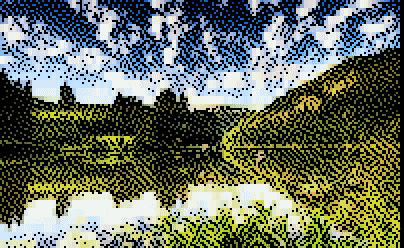
此时此刻我意识到,我在看 @"_ASCII Art_"_BARBAR_-}这是可识别的图像.>
注意天空梯度和地形细节如何保持可见, 即使终极分辨率@.}根据标准 ASCII @,}它们也会变得阻塞并失去平稳的交替性
## 矩阵矩阵模式
还有一个 `-M` 矩阵数字雨覆盖效果的标志@, @ 因为为什么它不能在您的源图像上合成卡塔卡纳河流? @ .Silling,}但有趣=.}
## 动画和视频
### Flicker+- 自由播放
终端中的动画是难解的“-”天真的方法,
**[DECSET {2026}已同步输出](https://gist.github.com/christianparpart/d8a62cc1ab659194337d73e399004036)** “-”这个终端功能让您能够同时使用“"”“MS K2”一个完整的框架, 防止在多个现代终端中撕裂“(”支持的“MSC4” 。
```csharp
// Start synchronised output
Console.Write("\x1b[?2026h");
// Write entire frame
Console.Write(frameContent);
// End synchronised output
Console.Write("\x1b[?2026l");
```
**Delta 种子** - 仅更新已更改的单元格@:
```csharp
public (string output, CellData[,] cells) RenderWithDelta(
Image image,
CellData[,]? previousCells,
int colorThreshold = 8)
{
var cells = RenderToCells(image);
var height = cells.GetLength(0);
var width = cells.GetLength(1);
// First frame or dimension change - full redraw
if (previousCells == null)
return (RenderCellsToString(cells), cells);
// Delta render - only output changed cells
var sb = new StringBuilder();
for (var y = 0; y < height; y++)
{
for (var x = 0; x < width; x++)
{
var current = cells[y, x];
var previous = previousCells[y, x];
// Skip if cell hasn't changed
if (current.IsSimilar(previous, colorThreshold))
continue;
// Position cursor and output
sb.Append($"\x1b[{y + 1};{x + 1}H");
sb.Append(current.ToAnsi());
}
}
return (sb.ToString(), cells);
}
```
这通常会减少产出 **70-90%** 视频内容, 其中大部分框为静态@. @%
### 时间稳定性 @ ( @ dejitter@ MS K1 @
对于移动内容来说 @ , @ 小的 per\ MS K1 @ 框架颜色更改可以闪亮@ . @ ConsoleImaage 包含一个平滑的解调通行证
跨框架的颜色变化@, @ 改善感知稳定性 @ ,} 特别是在盲文和彩色@ MS K2_ 区块模式\ .{
### 视频支助
视频文件和YouTube URL 由 FFmpeg 和 yt- dlp @ (auto}- 下载, 首次使用@). 您可以从 offs,}开始
3⁄4 ̄ ̧漯B
**视频播放控件@:**
“|”关键字“|”行动“|”
|-----|--------|
| `Space` |+Pause+/恢复=|+
| `Q` / `Esc` *MSKOQ 退出*#|*
## 文件格式
控制台图像可以将输出保存到没有原始源@. `.cidz`
使用格式化的 GZip 压缩, 用 delta 编码@ ( @ odomin {~7:1} 与原始 JSON),} 相对, 长视频可以以NDJSON 方式流出
所以框架是递增写入的, 而不是在内存中缓冲@. @%
还有一个轻量级玩家软件包@ ( @`ConsoleImage.Player`能够重放文档的 )\ {} 没有图像 Sharp 或 FFmpeg\ MS K1\ }
使动画化的CLI标志在不捆绑严重依赖性的情况下可以使用
## API 融合
有完整的 C# API 用于拍摄图像 ,GIFsMS K2 Video,和带有细MSKO4grained 的文档
用户将返回 CLI,}这样您就可以在自己的工具中嵌入算法, 而不用重新 - _ 实施管道@.\ {
Spectre.Console 集成功能既可用于实时投影,也可以用于文档播放回放\ ,}让您将图像当作
在布局内可溶解@.}README 和 Nuget 软件包页面详细覆盖 API 表面\ .
## 深底下潜
如果您想要完整的技术细节@,}这些是卡尼科医生的 :
- [CLI 读取后台图像](https://github.com/scottgal/mostlylucid.consoleimage/blob/master/ConsoleImage/README.md)
- [核心图书馆REEADME](https://github.com/scottgal/mostlylucid.consoleimage/blob/master/ConsoleImage.Core/README.md)
- [视频核心README](https://github.com/scottgal/mostlylucid.consoleimage/blob/master/ConsoleImage.Video.Core/README.md)
- [README 剪贴描述](https://github.com/scottgal/mostlylucid.consoleimage/blob/master/ConsoleImage.Transcription/README.nuget.md)
- [玩家REEADME](https://github.com/scottgal/mostlylucid.consoleimage/blob/master/ConsoleImage.Player/README.md)
- [光谱集成 README](https://github.com/scottgal/mostlylucid.consoleimage/blob/master/ConsoleImage.Spectre/README.nuget.md)
- [玩家@. @spectre reEADME](https://github.com/scottgal/mostlylucid.consoleimage/blob/master/ConsoleImage.Player.Spectre/README.md)
- [MCP 服务器REEADME](https://github.com/scottgal/mostlylucid.consoleimage/blob/master/ConsoleImage.Mcp/README.md)
- [盲文文字文件笔记](https://github.com/scottgal/mostlylucid.consoleimage/blob/master/docs/BRAILLE-RENDERING.md)
- [JSON/ 催化区格式](https://github.com/scottgal/mostlylucid.consoleimage/blob/master/docs/JSON-FORMAT.md)
- [变化表](https://github.com/scottgal/mostlylucid.consoleimage/blob/master/CHANGELOG.md)
## MCP AI 整合服务器
Consoleimage 包含一个 MCP @ @ model上下文协议@ MS K1 @ 服务器, 该服务器将它转换成 一个用于 AI 工作流程的 & " 视觉探测器 @ I.} @ 而不是仅仅作为 MSKO5AAI 整合( 因为趋势 @ MPK6 it\ '_ 实际有用) @:# 这个模型可以请求减少媒体% MSQ9 测量简单信号的浏览量 * _(colour,} 运动 @ MAK12 change{),}, 只有到那时才能决定什么能保留.
因为控制室图像可以使视频内容具有概念意义预览@, @ a AI 可以解释视频内容的迭代性=%:}采样_,}比较,}和精炼,而不是盲目地消耗整段视频}.}
### 具体AI 任务
与 MCP 整合*,
- **找到的彩色区段**@:scan a video 低分辨率的视频@,}确认最活跃或最高亮度的 -contrastrast frame*,}并导出简短的 GIF
- **检测场景变化**“:度量框架”“-to -Frame 三角洲能源,以确定重要时刻”。
- **感兴趣内容的所在地**“: 使用累赘法查找似乎包含人或人类人物的框框”“ ( {除非运行一个真实的探测器})}
- **生成故事板**{:} 创建 N 键框架的联系人工作表,作为单向提供的文档
### 构建此条
在撰写此篇文章时, 我使用 ConsoleImaage 作为 MCP 工具来查找好样板剪辑 @ .
```
→ extract_frames (low-res preview at various timestamps)
→ compare_render_modes (ASCII vs braille at promising scenes)
→ render_to_gif (final export of selected clips)
```
这里“ ' @ ” 是一个微小的盲文预览, 在 “ @ MS K1} 字元宽度 # - @ 足够显示组成和运动@ : @
```
⣿⣿⣿⣿⣿⣿⣿⣿⡿⢃⠌⡱⢈⠱⣈⠱⣈⠱⢈⠛⢿⠿⠟⢛⠛⢛⣿⣿⣿⣿⢿⣿⣿⣿⣿⣿⣿⣿⣿⣿
⣿⣿⣿⣿⣿⣿⣿⣿⠇⡌⠒⡄⢃⢲⣾⣷⠶⡉⠤⡀⢆⠢⢉⠢⡘⢄⢂⠉⣺⣽⢿⣞⣷⣻⣞⣷⣻⣞⣷⣿
⣿⣿⣿⣿⣿⣿⣿⣿⠐⡈⢅⠢⡁⣾⣿⡏⠤⠑⡂⢅⠢⣕⢨⣔⠡⠌⣂⠱⠘⠯⠿⣾⣽⣳⠯⣝⡗⢿⣞⣿
```
让我快速扫描内容以确定有趣的框架,
### 配置配置
设置为单一的 MCP 服务器条目 @ ;}请查看 [MCP 读取](https://github.com/scottgal/mostlylucid.consoleimage/tree/master/ConsoleImage.Mcp) 详细描述@. @%
关键工具包括 `render_image`, `render_to_gif`, `extract_frames`,和 `compare_render_modes`.
## 建筑结构架构
```mermaid
flowchart TB
subgraph Core["ConsoleImage.Core (NuGet)"]
AR[AsciiRenderer]
BR[BrailleRenderer]
CB[ColorBlockRenderer]
CM[CharacterMap]
AP[AnimationPlayer]
DOC[Document Format]
end
subgraph Video["ConsoleImage.Video.Core"]
FF[FFmpegService]
VP[VideoPlayer]
end
subgraph CLI["ConsoleImage CLI"]
MAIN[Unified CLI]
end
subgraph MCP["ConsoleImage.Mcp"]
TOOLS[AI Tools]
end
MAIN --> Core
MAIN --> Video
TOOLS --> Core
style Core stroke:#4a9eff
style Video stroke:#ff6600
style CLI stroke:#00aa00
style MCP stroke:#9933ff
```
## 结论结论
亚历克斯·哈里's ASCII 转换算法为终端图形系统.}*时间=MS K2_boxing 方法意味着快速运送有用的东西@,\}当灵感点击时,会转动
密钥学习@: @% 1
- **形状@ - @ 配对节拍亮度映射** 字符选择质量
- **盲文字符** 在终端中提供惊人的分辨率
- **Delta 合成** 平滑视频播放所必需的
- **时间一致性** 是 @ " recognable\ " 和 @ I"\ 观察@ MS K3\ 的区别
代码是公共域名 @(_Unlicense)}#-}不管你喜欢什么,都使用它 [吉特胡布](https://github.com/scottgal/mostlylucid.consoleimage).
## 即将到来 @: @ part @ 2 @ * -_ 清晰化@ glearview
另一个时间@ - @ 框工具是 [**清晰度**](https://github.com/scottgal/lucidview) @ - @ a fast@, @ small Avalonia 小亚瓦隆客户端, 不使用 WebView#.而使标记清晰化
更多关于此部分的部分 @ 2. @ @
## 参考参考资料
- [ASCII 招标条款](https://alexharri.com/blog/ascii-rendering) 鼓舞人心的灵感
- [Unicode 盲文模式块](https://unicode.org/charts/PDF/U2800.pdf) -盲文编码参考
- [Otsu' 方法 @ ( @ Wikipedia@) @](https://en.wikipedia.org/wiki/Otsu%27s_method) - 自动阈值
- [Atkinson 抖动](https://beyondloom.com/blog/dither.html) - 麦克帕恩算法